
There are many aspects to a professional website. There is the overall design and layout, typography, graphics, images and hyperlinks that are obvious. However, there are many other things that can be done to add an extra touch of professionalism to a site that may not be so obvious at first glance. Here are a few that may not be absolutely critical, but important none the less because they either aid in branding, navigability, usability, or SEO.
1. Favicons
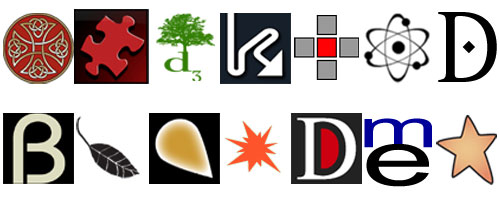
A Favicon, short for favorites icon and also known as a shortcut icon and bookmark icon, is the little logo you see next to the address bar of your browser. They can also be seen in your favorites or bookmarks section. They are great for strengthening your brand and visually separating a bookmarked site from all the others.
It never ceases to amaze me how many “professional sites” lack a favicon. After all, it’s not that hard to create one. Implementation of a favicon is super easy too. All you need to do is add a bit of code (which is a link to your favicon image) to the head area of the page and make sure to upload your favicon.ico to the root directory of your domain.
2. Analytics
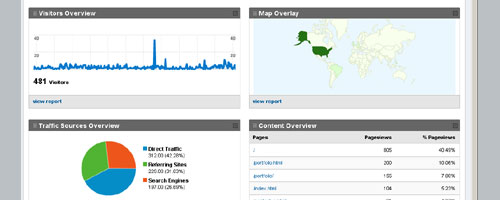
Google is amassing a huge amount of awesome and useful services, and one of the greatest is Google Analytics. Conveniently integrated with Gmail, all you need is a Gmail account and access to a domain in order to use analytics. I’ve used many statistics programs in the past to keep track of traffic to various sites, but none have had the depth and ease of use that Google Analytics offers.
To implement, just copy and paste a bit of code into the footer of your page. That’s it! Now, sit back and wait for the traffic. The amount of info about your site and its traffic are staggering. Unique Visits, Unique Visitors, Average Time on Site, Bounce Rate, Unique Page Views, Pages per Visit, % New Visits, Traffic Sources and Viewed Content, are only a few of the many different things you can find out about. These are all displayed in a variety of easy to understand graphs, charts and lists. Also, giving others access is as easy as typing in their Gmail address.
3. XML Sitemap
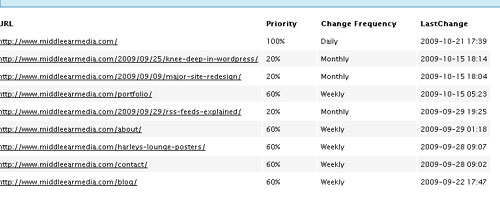
XML Sitemaps are used by search engines in order to easily navigate your entire site for indexing purposes. They can also be used by humans who want to see all the links on your site or who are looking for something specific.
An XML Sitemap is simply an XML file with a list of URLs for a site that also includes additional metadata about each URL such as when it was last updated, how often it usually changes, and how important it is, relative to other URLs in the site. XML Sitemaps can be found (if they exist) by typing “/sitemap.xml” after the domain name in the address bar of your browser or sometimes you can find a link (usually in the footer) to the sitemap from the page itself.
4. Custom HTML email to match the site
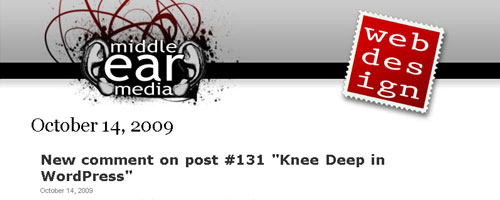
This is something that won’t be apparent until you interact with a site. After leaving a comment about a blog post, sending a message with a contact form, or signing up to receive updates via email, etc. a user is sent an email from the site. Now wouldn’t it be nice if all those emails were customized with an HTML template so they would retain the look and feel of the site and strengthen the brand? I think it’s a nice touch.
5. Page not found 404 error page

When you type in the URL of a page that doesn’t exist, by default, the server gives you a “Page not found 404 error” page. Although there are ways to minimize the chances of it happening, there is no way to prevent someone from looking for a page that doesn’t exist on your server.
One way of making sure people don’t get lost, loose interest, or get confused is customizing the 404 page. It could be an interesting graphic, something funny, or anything you want. Included on this page should be prominent links to your home page, portfolio, products, or whatever it is you really want people to see.


Leave a Reply